
Easy Timer
Simple and highly visible, elapsed time timer.

Simple for everyone
to use.
"Easy Timer" is a simple timer app with large, easy-to-read numbers.
It is perfect for any situation where you want to keep track of time, such as studying, working out, or giving presentations.
You can tell the remaining time with just a quick glance, even from a distance.
🤳 Screen Inversion Supported (For In-Camera Recording & Live Streaming)!
Even if the timer appears mirrored (horizontally flipped) when recording with the front-facing camera or live streaming, turning this feature ON allows you to see the correct orientation through the camera. Perfect for recording self-workouts or practicing presentations.
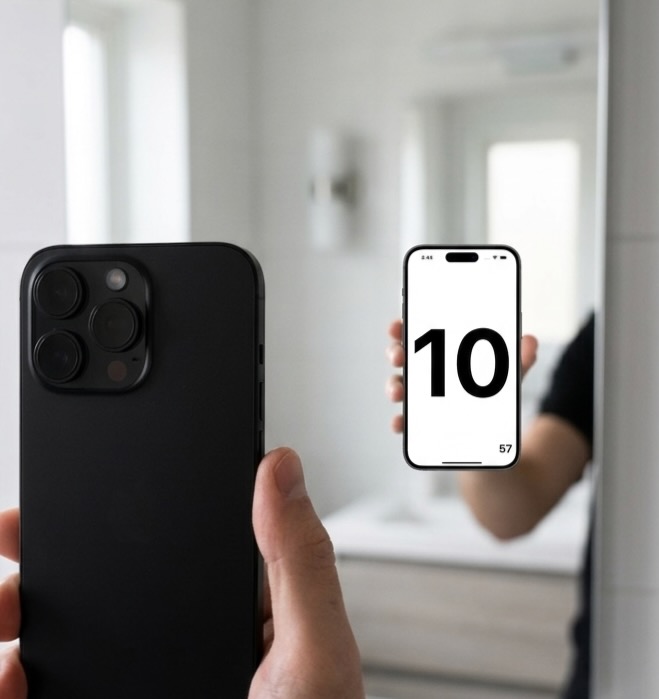
Outstanding Visibility
We eliminated unnecessary clutter to focus on digit size and legibility.
You can check the remaining time at a glance even if your phone is placed far away.
Intuitive Operation
Tap the screen to start or stop. Swipe to reset or adjust time.
It is so intuitive that you won't even need an instruction manual.
Flexible Customization
Register frequently used times as presets, select notification sounds, and configure the settings to suit your personal needs.
Screen Inversion (In-Camera & Streaming)
Flip the screen horizontally so that numbers read correctly even when recording self-videos or live streaming. Ideal for video creation and presentation practice.
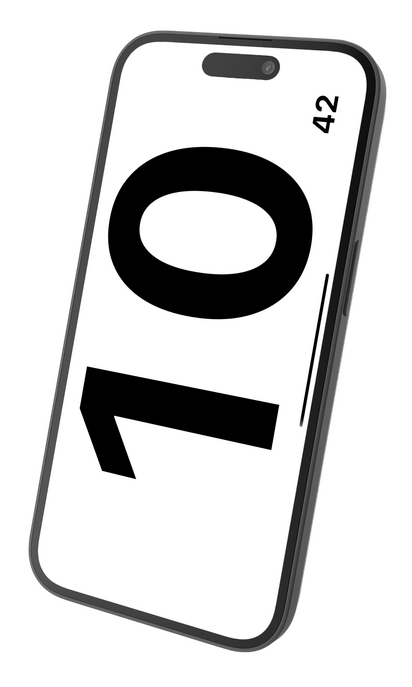
How to Use
Frequently Asked Questions
- Q Does it notify in the background?
- Yes. If you allow notification settings, you will receive a notification at the set time even if the app is closed.
- Q How do I cancel my subscription?
- You can manage or cancel your subscription at any time by going to iOS Settings > Apple ID > Subscriptions.
Easy Timer - Simple & Highly Visible Timer
Privacy Policy