
OneCall - Special Phone for Family
A simple app to make calls with a single tap on your Apple Watch.
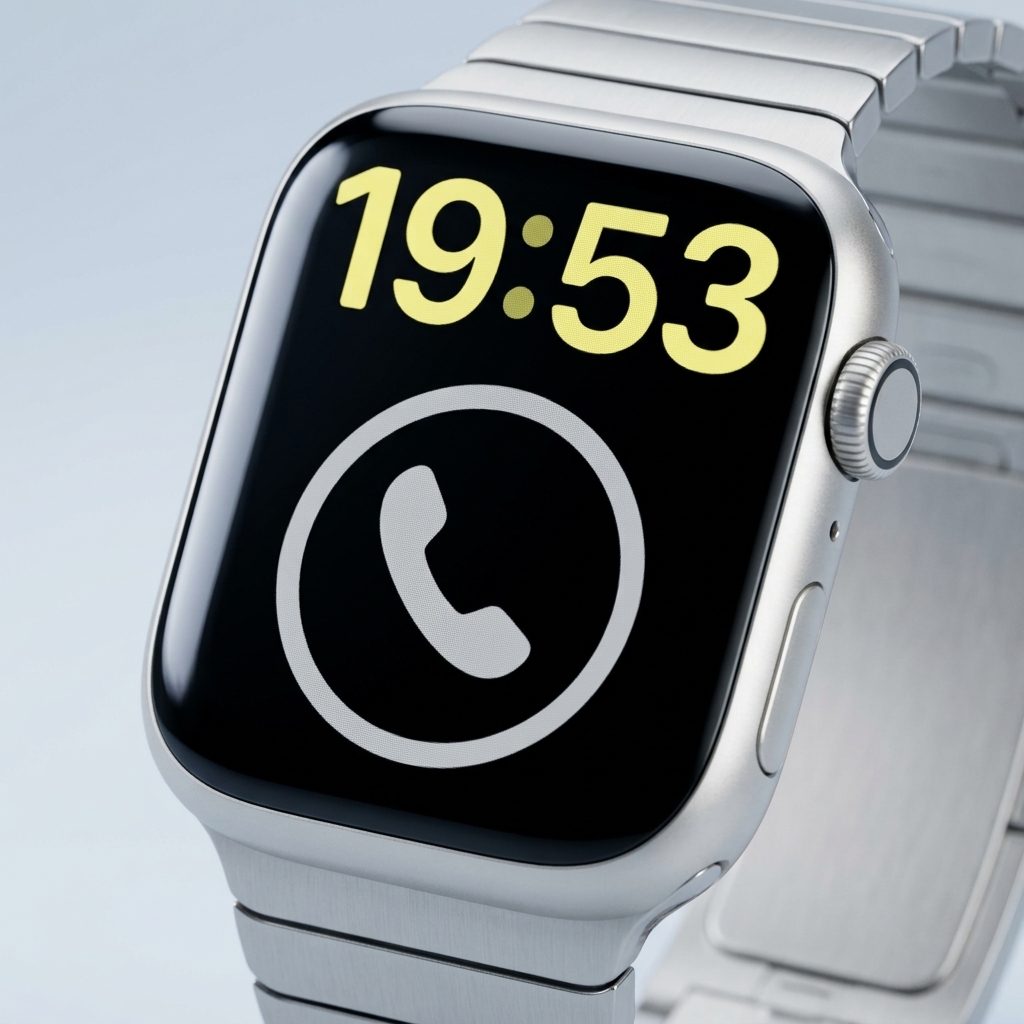

Connect instantly
with a single tap.
"OneCall" is an ultra-simple calling app designed exclusively for Apple Watch.
By registering just one phone number you call frequently,
you can make a call instantly by simply tapping the complication button on your watch face.
Designed for Apple Watch
Quickly connect with your loved ones directly from your wrist.
No complex operations at all.
Single-Tap Call
Just open the app and tap the phone icon in the center of the screen.
Easy to use without hesitation, even in emergencies.
For Seniors & Children
Simple, user-friendly design ensures
anyone can use it without getting lost, even if they aren't tech-savvy.
How to Use
Open Settings
After launching the app, tap the "Open Settings" button.
Enter Phone Number
Follow the on-screen instructions to enter the phone number you call most frequently, then tap "Save."
Add to Watch Face Complication
Press and hold your Apple Watch face to enter edit mode, then add "OneCall" to your complications. For seniors, we highly recommend using the "X-Large" watch face where the icon is shown at its largest size.
Tap to Call
Simply tap the "OneCall" icon on your watch face to make a call instantly.
OneCall - Tap to Call
Privacy Policy